How accurate is the food scanner?
Here are 6 of our own meal photos, the score the scanner gave each one, and what the food actually was. Nothing here comes from a member's account.
Our accuracy test
We ran 643 items through the same scanner members use — real meal photos, real packaged products, and printed supplement, vitamin, peptide, TRT and prescription labels with known contents, plus QR codes and barcodes. It read 90% of them correctly. Last run 2026-09-08.
| Item type | Tested | Read correctly |
|---|---|---|
| Meal photos | 493 | 88% |
| Packaged food photos | 60 | 95% |
| Supplement labels | 17 | 100% |
| Vitamin labels | 13 | 92% |
| Peptide vial labels | 15 | 100% |
| TRT vial labels | 15 | 100% |
| Prescription labels | 20 | 100% |
| QR codes & barcodes | 10 | 100% |
How the score tracks accuracy
- 70% and above — 94% correct across 433 items
- 50-69% — 87% correct across 126 items
- Below 50% — 69% correct across 74 items
That is why the trusted line sits at 70% and the warning at 50%: the thresholds are set from these measurements, not picked by hand. You can also see how this compares with other health apps and why we claim the smartest scanner spot.
The photos
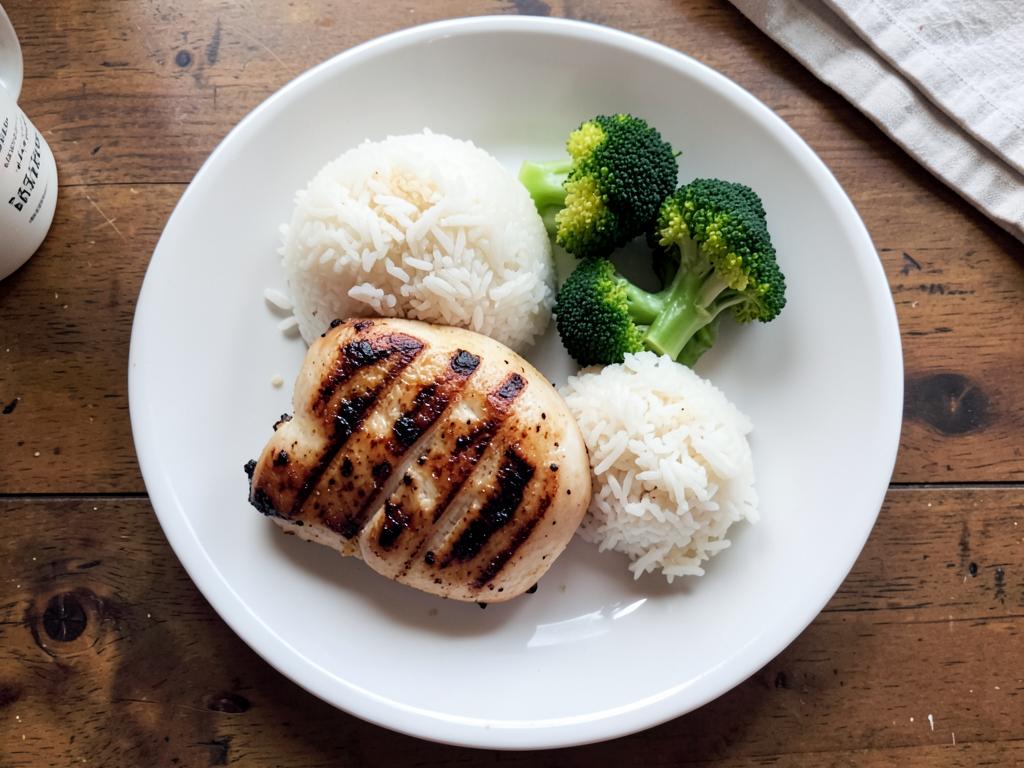
Chicken breast, white rice, broccoli
Actually: Chicken breast 145 g, white rice 160 g, broccoli 90 g
Read 470 kcal · verified 481 kcal
Shot from directly above with everything visible — the easiest kind of photo to get right.
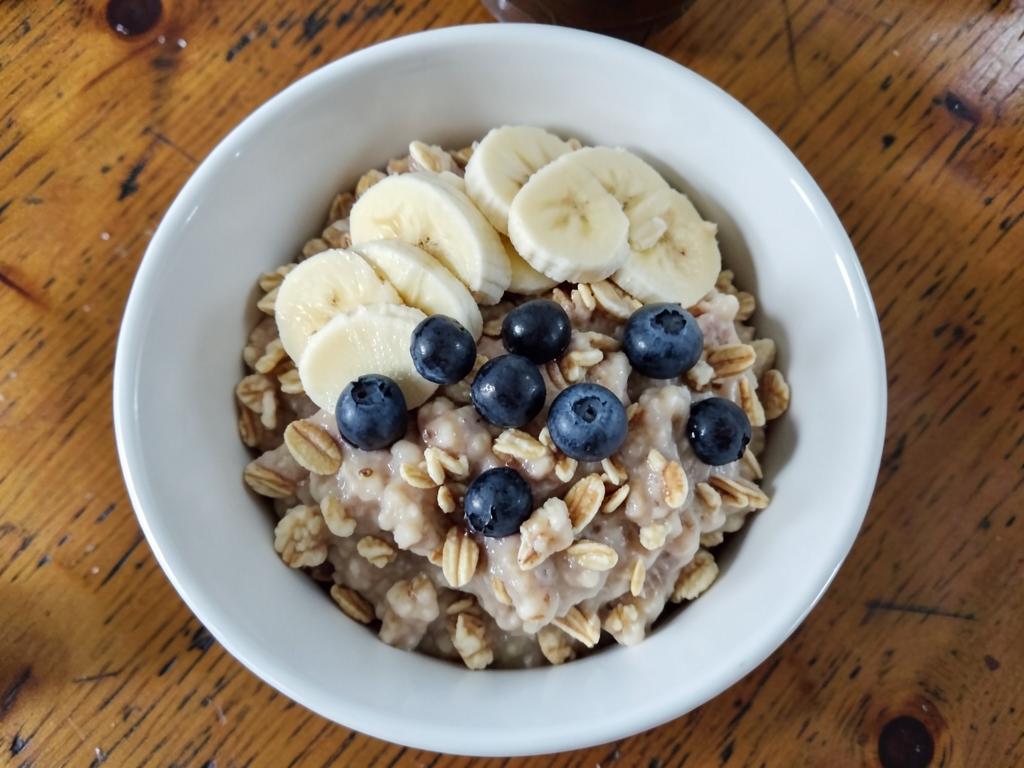
Oats, banana, blueberries
Actually: Oats 45 g dry, banana 60 g, blueberries 40 g
Read 249 kcal · verified 240 kcal
Named all three foods. Oat portions under liquid are the usual source of drift, so check the grams.
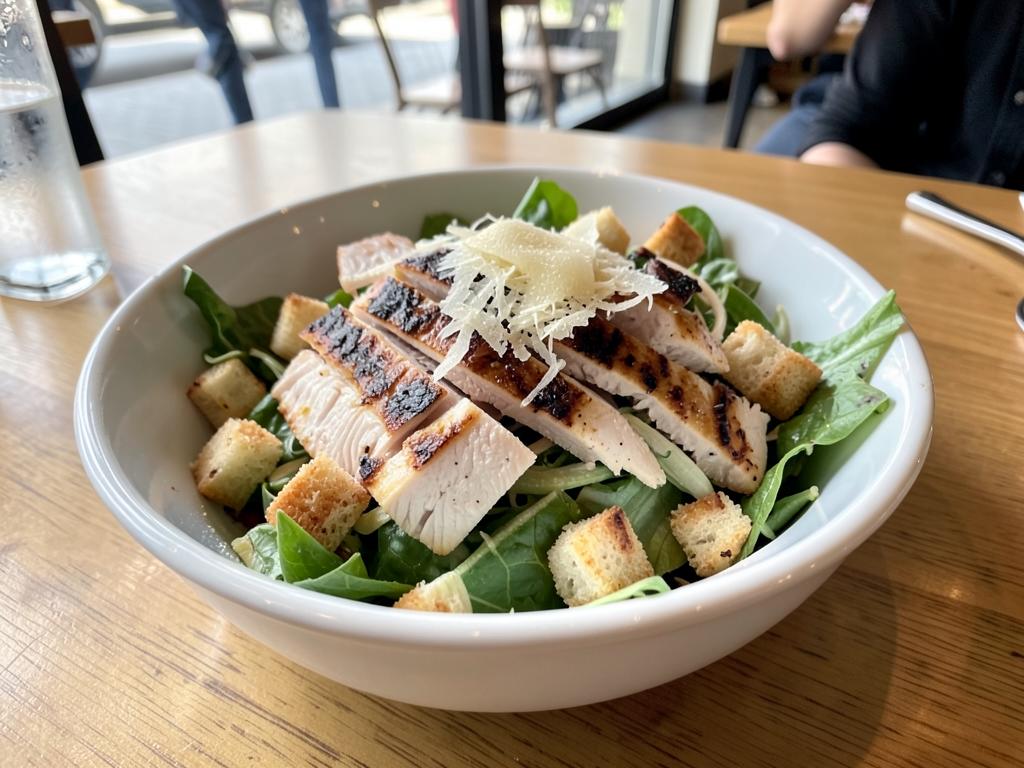
Caesar salad with chicken
Actually: Caesar salad with chicken, extra dressing
Read 390 kcal · verified 520 kcal
Flagged as 'check it'. Dressing is invisible in a photo — the scanner cannot see how much is on there.
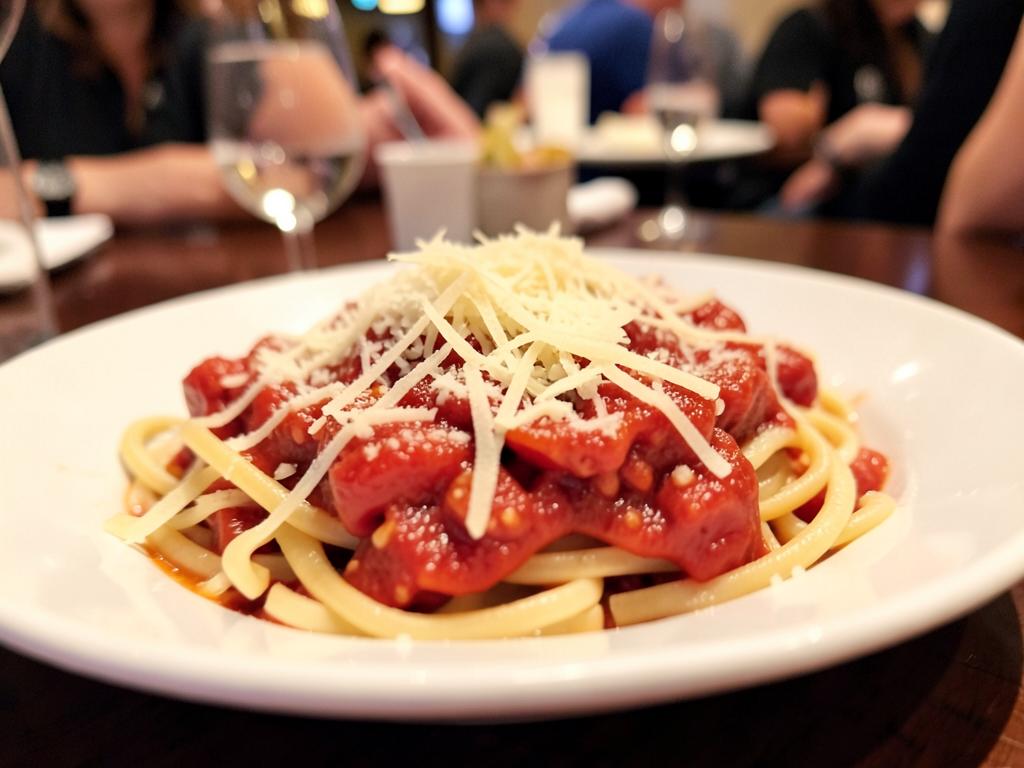
Pasta with tomato sauce, parmesan
Actually: Pasta 220 g cooked, tomato sauce, parmesan 15 g
Read 410 kcal · verified 505 kcal
A low angle hides depth, so the first read under-sized the portion and earned a second look.
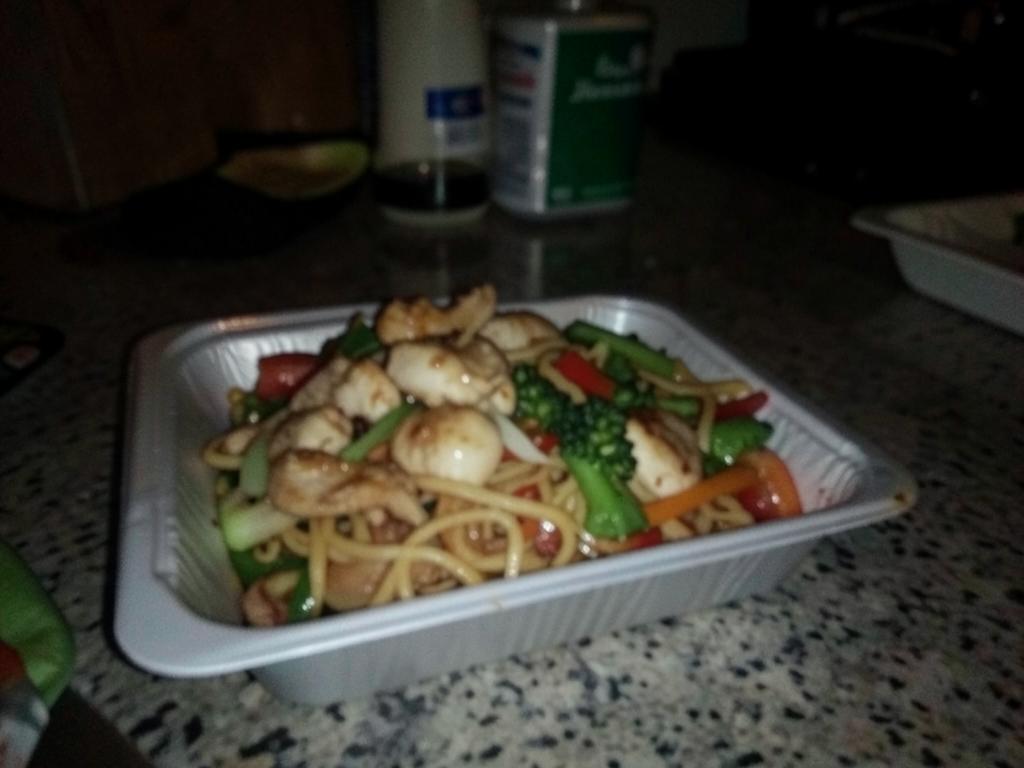
Noodles with chicken and vegetables
Actually: Chicken lo mein, 380 g
Read 520 kcal · verified 660 kcal
Too dark and slightly blurry. Shown with the rough-guess warning — retaking it in better light fixed the read.
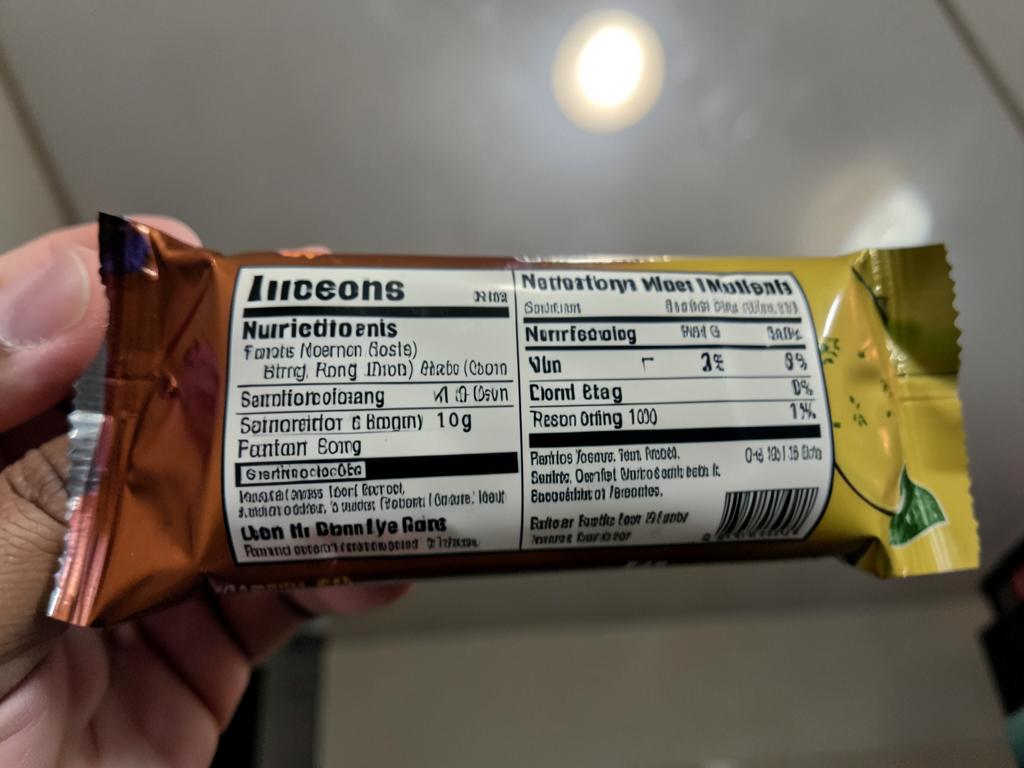
Protein bar, 20 g protein per bar
Actually: Protein bar, 20 g protein per 60 g bar
Read 228 kcal · verified 228 kcal
Printed panels read well even with glare, because the numbers are written down rather than estimated.
What the scores mean
70% and above — shown as a confident read. You still see everything before it saves.
50% to 69% — flagged “check it”. The food is probably right, the portion may not be.
Below 50% — treated as a rough guess, with a warning asking you to verify the numbers.
Below 70% on a plate of food — we pay for one harder read before you ever see the result.
Get better reads
Shoot from directly above so the scanner can judge depth and portion size.
Get real light on the plate — dim photos are the single biggest cause of bad reads.
Keep everything in frame; food hidden behind a bowl edge cannot be counted.
For packaged food, scan the barcode or fill the frame with the whole facts panel.
More detail is in the scanner guide, and corrections people make feed the community scanner memory.
Frequently asked questions
How accurate is the DoseRoutine scanner?
Each result carries a confidence percentage measured against a real test set. Results at 70% or higher were read correctly every time in our measured run. Results between 50% and 69% were usually right but worth checking, and anything under 50% should be treated as a guess and corrected before saving.
What does the confidence percentage actually mean?
It is how sure the scanner is about what it read from the label, barcode or plate — not a claim about the product itself. It is shown before anything is saved so you can judge the reading yourself.
Can the scanner add the wrong medication?
No. Every scan stops on a review screen showing the reading, the matched product and the confidence score, and nothing enters your stack until you tap Save. A reading the scanner is not confident about is rejected rather than guessed, and you can always add an item by hand instead.
How do I get a better scan?
Fill the frame with the label, hold one side of the bottle still rather than rolling it, and let the camera focus before capturing. If one side does not carry all the information, the app asks for a second or third side and merges them into a single reading.